Contribute / Ryzen testing
Ryzen CPU Power testing
AMD write support is experimental. Use this checklist to collect comparable results. Read-only telemetry is safe; writes require Enable experimental AMD writes and can be rejected or clamped by firmware.
Always keep the charger connected for Stages 0–3. Only test battery-mode writes after AC writes are confirmed to work and read back correctly.
Before testing
- AMD Framework laptop/desktop (supported families: Raven, Renoir, Mobile/Phoenix, Strix Point/Krackan, Strix Halo, Raphael/Granite Ridge/Dragon Range).
- Framework Crate 0.9.6 or newer, run as administrator.
- PawnIO +
RyzenSMU.bininstalled via Download Modules, then Redetect. - HWiNFO64 in Sensors-only mode (for package power cross-checks).
- CPU-Z for the all-core load (Tools → Stress CPU).
- Keep
%APPDATA%\framework-crate\app.logavailable for the report.
Stage 0 — read-only
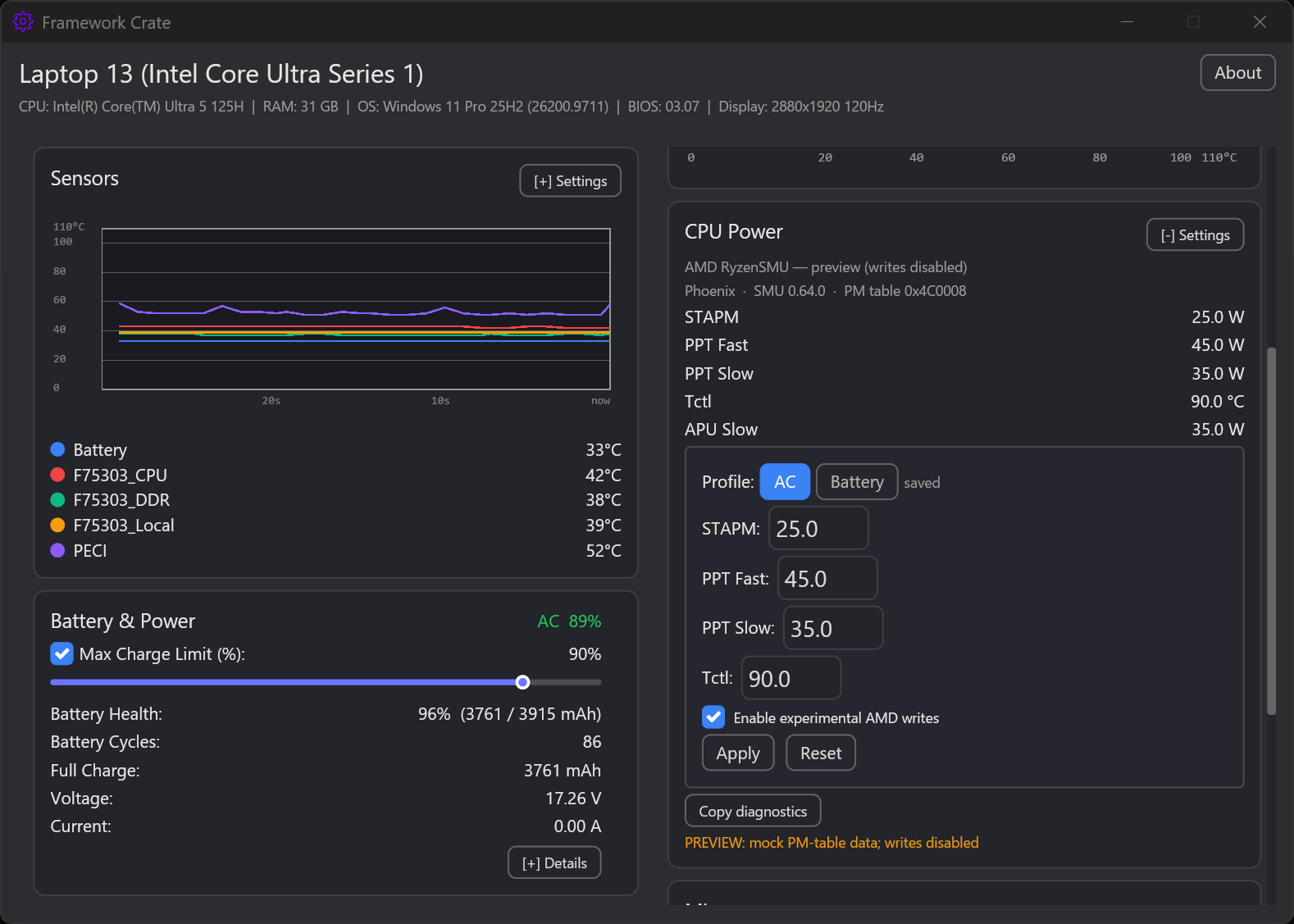
- Open CPU Power. Confirm the card says
AMD RyzenSMU. - Press Copy diagnostics and keep the output.
- Check that
code_name,smu_version,pm_table_version, STAPM/PPT Fast/PPT Slow, Tctl, and APU Slow look plausible (not zero or absurd). - Compare with HWiNFO64 idle package power and any PPT limit row.
- Report the diagnostics through the AMD issue template.
Stage 1 — no-op apply
- Enable experimental AMD writes.
- Apply the same values that are currently shown.
- Confirm the command succeeds and the PM-table readback is unchanged.
- If it fails, stop and report the error text + diagnostics.
Stage 2 — small delta + readback
- On AC power, lower STAPM/PPT Fast/PPT Slow by 5W (or Tctl by 2°C); keep everything else.
- Press Apply and confirm the readback matches the request within 1W/1°C.
- On AC, run CPU-Z Stress CPU and record HWiNFO64 package power.
- Press Reset and confirm the captured baseline comes back.
- Report both the requested values and the readback/HWiNFO results.
Stage 3 — profiles, keep-alive, transitions
Only run this stage after Stage 1 (no-op) and Stage 2 (small delta) both succeeded with a matching readback. If either fails, stop at Stage 2 and report; do not enable keep-alive or test sleep/AC transitions until a write is confirmed working.
- On AC, save the AC profile and enable keep-alive; confirm the AC profile applies.
- Only then save a distinct Battery profile and verify the switch after unplug/replug.
- On AC, sleep/resume and verify the profile is re-applied.
- Repeat once after Reset (keep-alive should turn off).
- Record any unexpected value, error, or fan behavior and the power source used.
Reporting
Use the AMD CPU Power test report issue template and include:
- diagnostics from every stage
- exact values requested and read back
- HWiNFO64 package power before/after (CSV/screenshot if possible)
- a screenshot of CPU-Z Stress CPU running alongside HWiNFO64
- sleep/resume and AC/battery observations
- relevant
app.loglines
Do not include serial numbers, tokens, or other private data. If a write fails or the machine behaves unexpectedly, press Reset, disable the experimental toggle, and report before trying again.