Control center for Framework laptops

Fan control, battery limits, and live telemetry for Framework laptops.
A native Windows app built in Rust.
FreeOpen source
…Total downloads
…GitHub stars
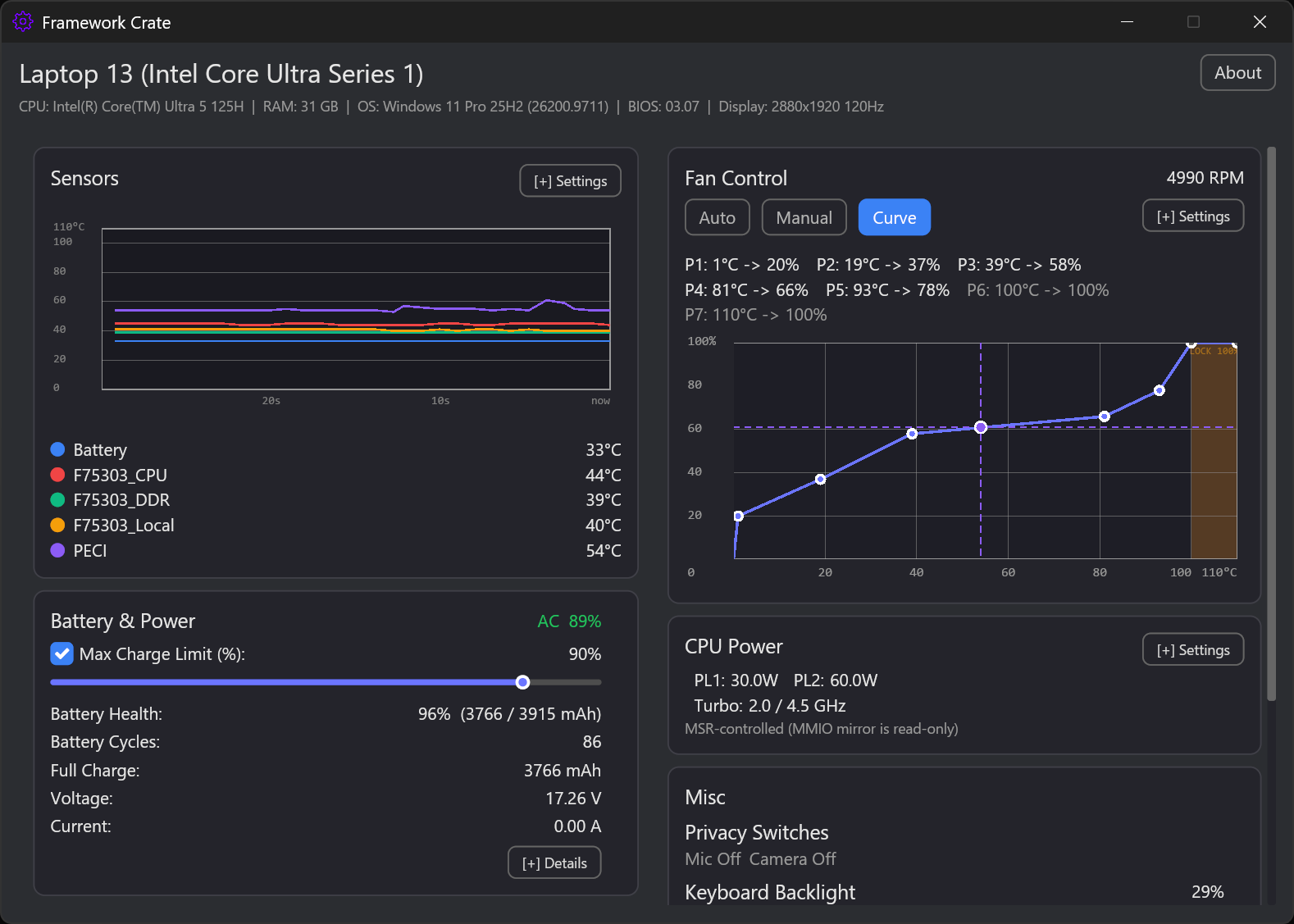
Framework Crate main view

Screenshots

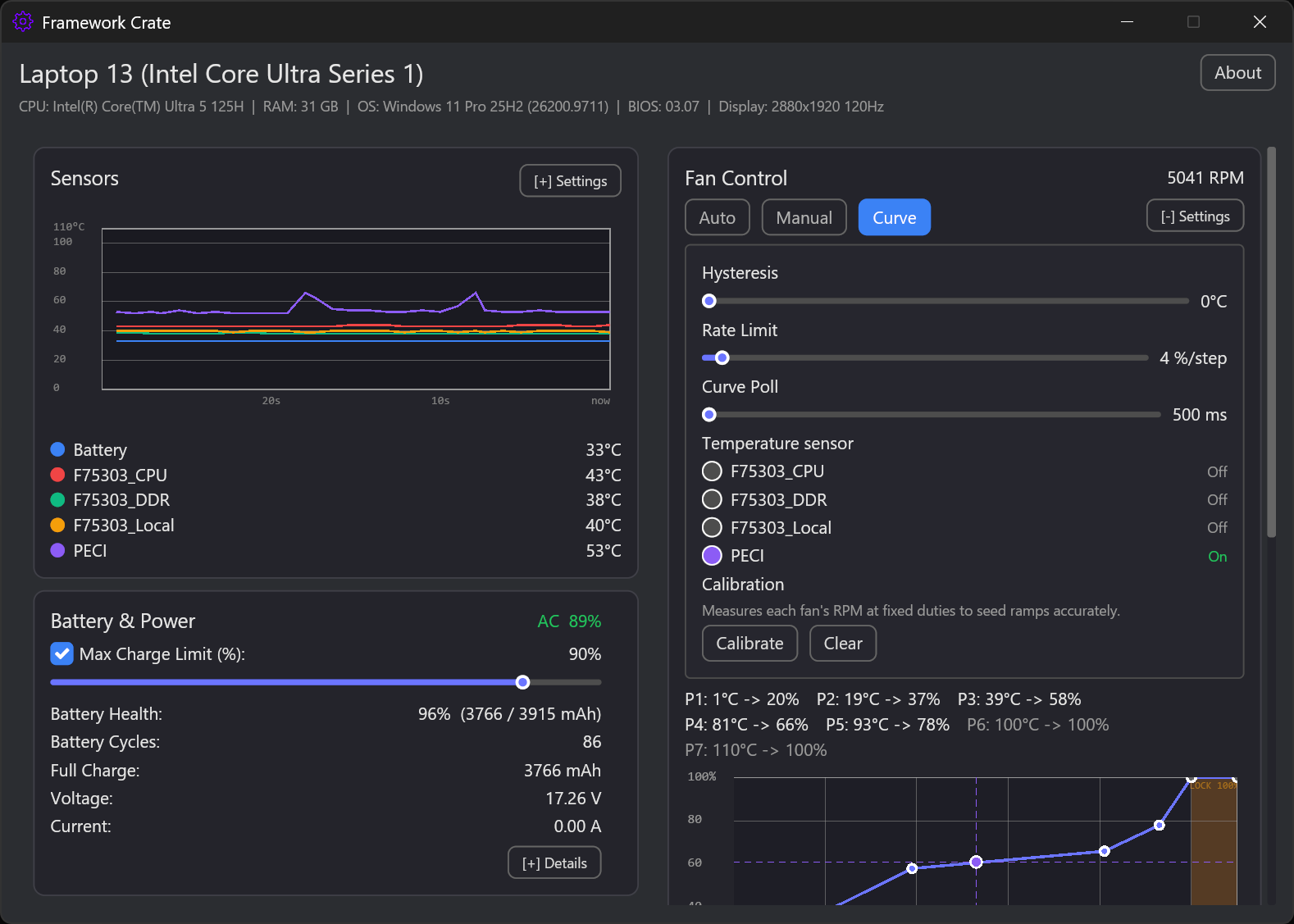
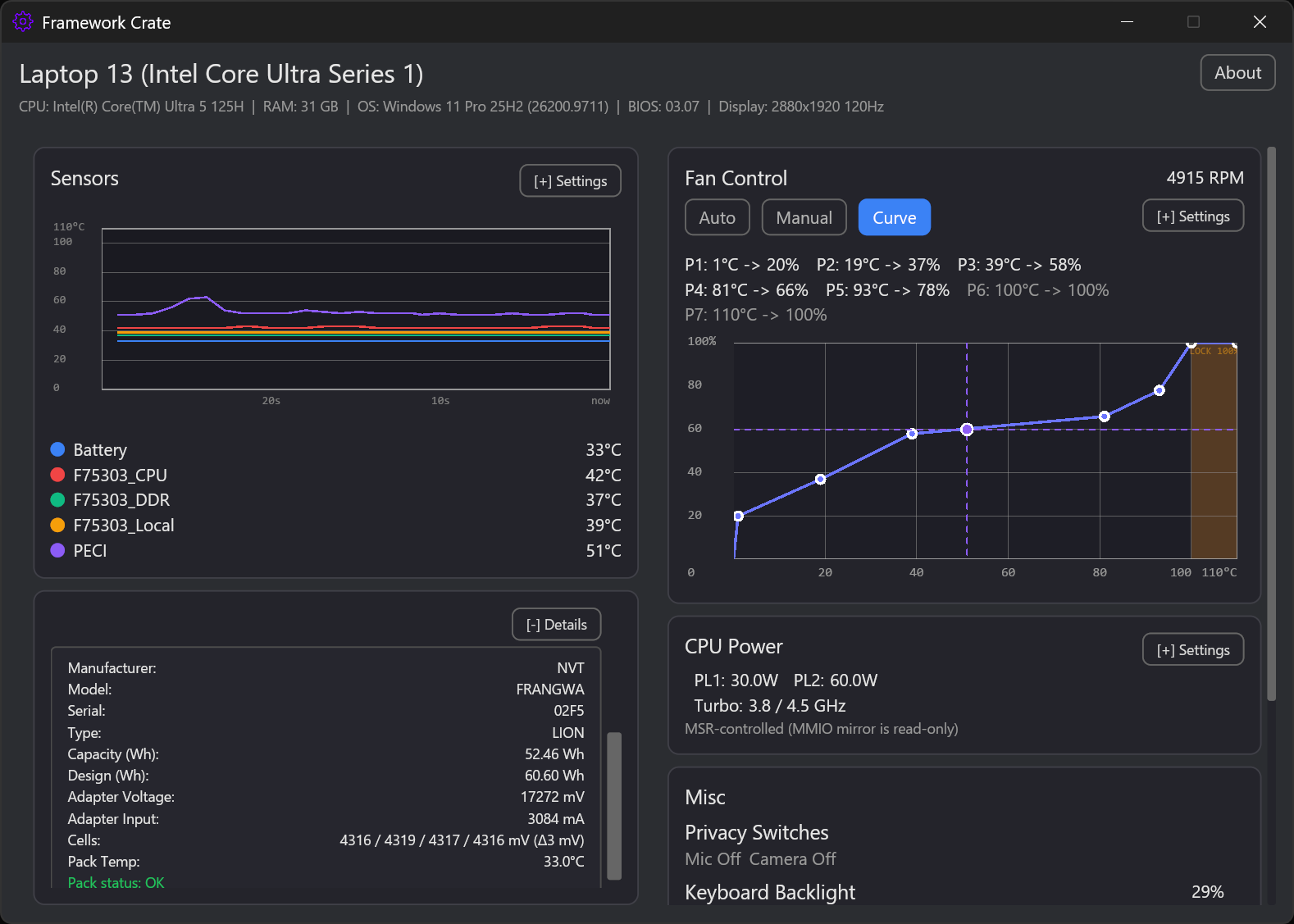
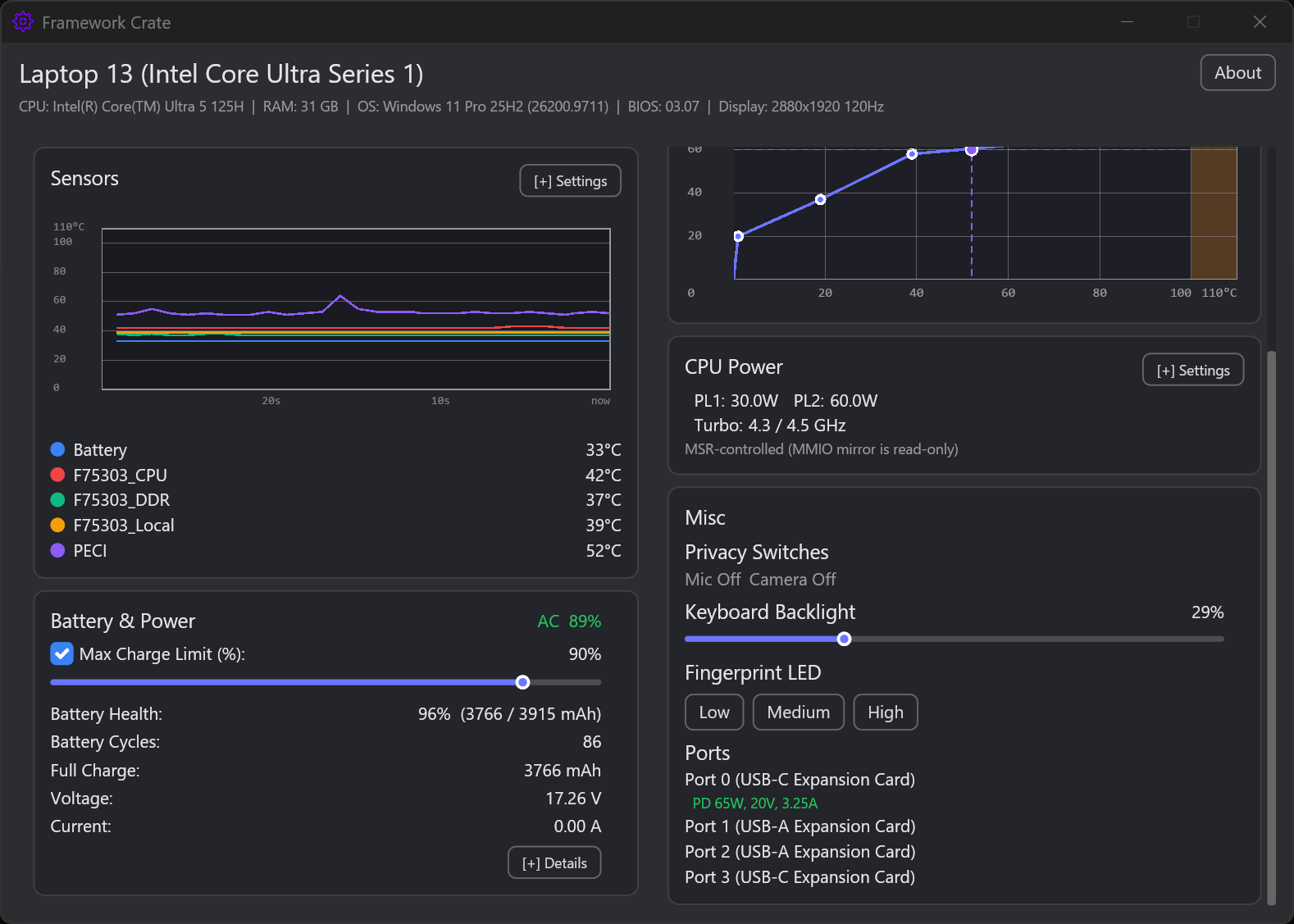
Dashboard with sensors, fan control, battery, and CPU power
Dashboard — live sensors, fan curve, battery, and CPU power at a glance.
Fan control settings with hysteresis, rate limit, sensor selection, and calibration
Fan control — curve editor, hysteresis, rate limit, sensors, and RPM calibration.
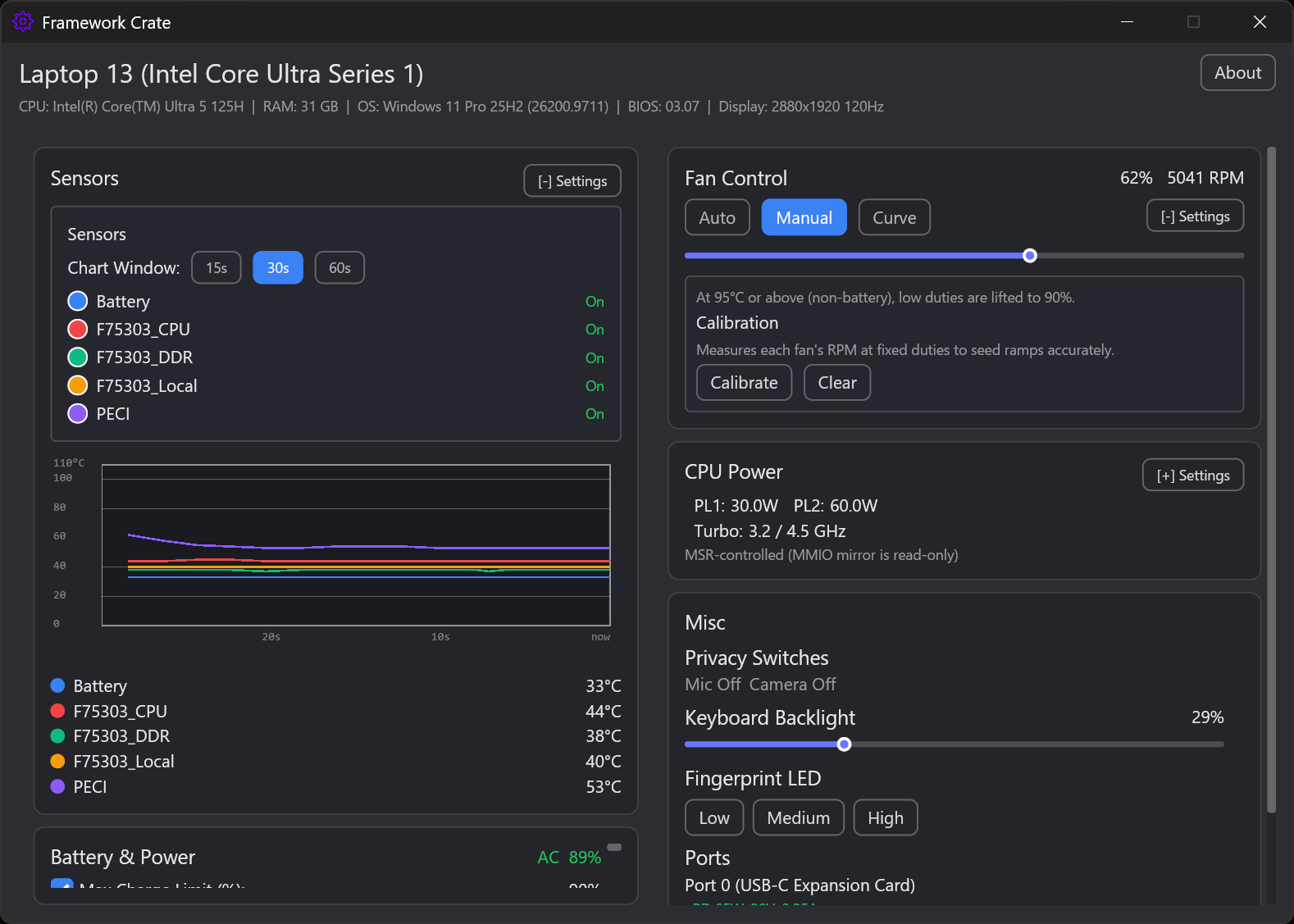
Manual fan mode with duty slider and sensor settings
Fan modes — firmware auto, manual duty, and sensor/chart-window settings.
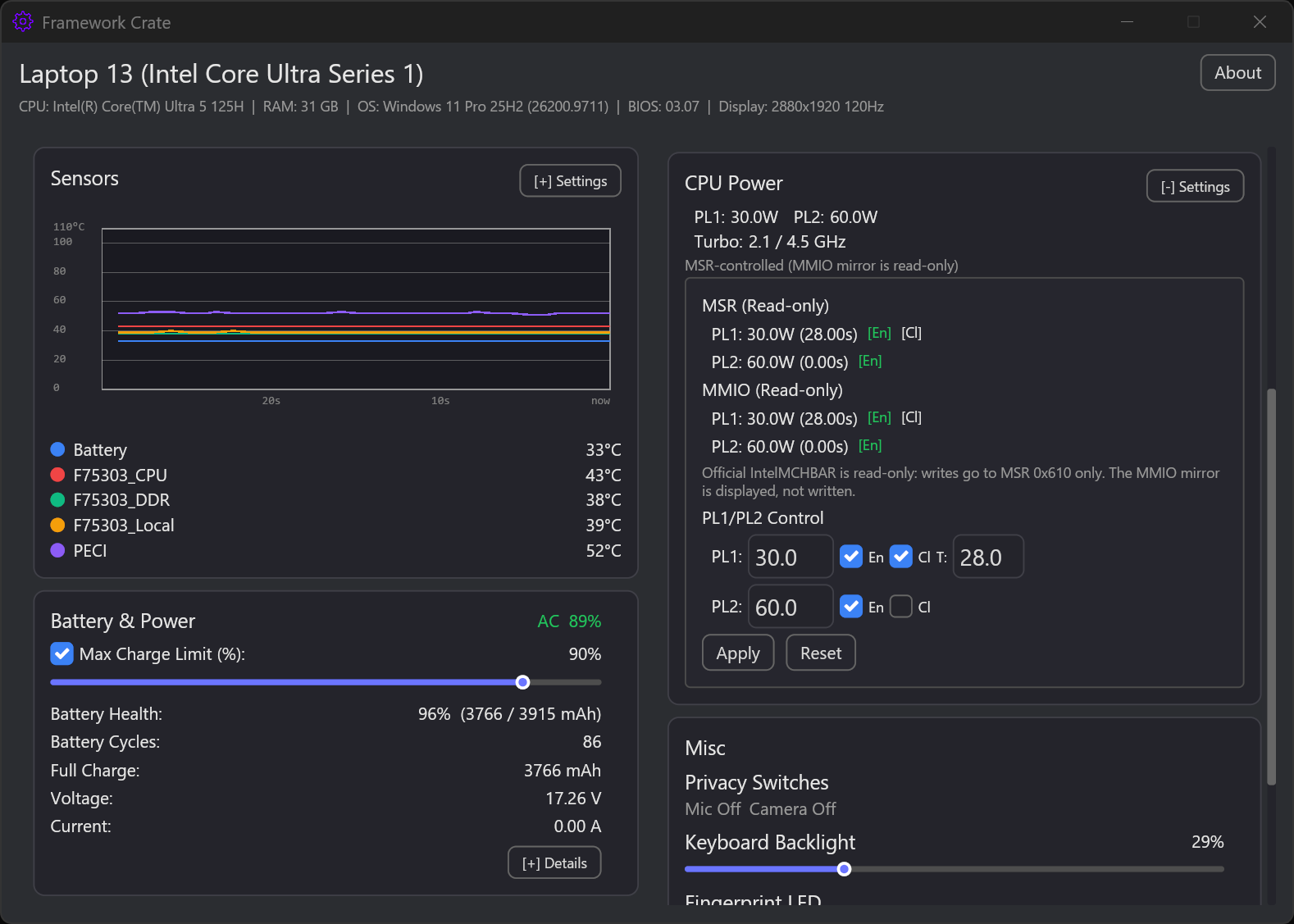
CPU power settings with PL1/PL2 controls and MSR readout
CPU power — PL1/PL2 limits, turbo readout, and MSR/MMIO diagnostics.
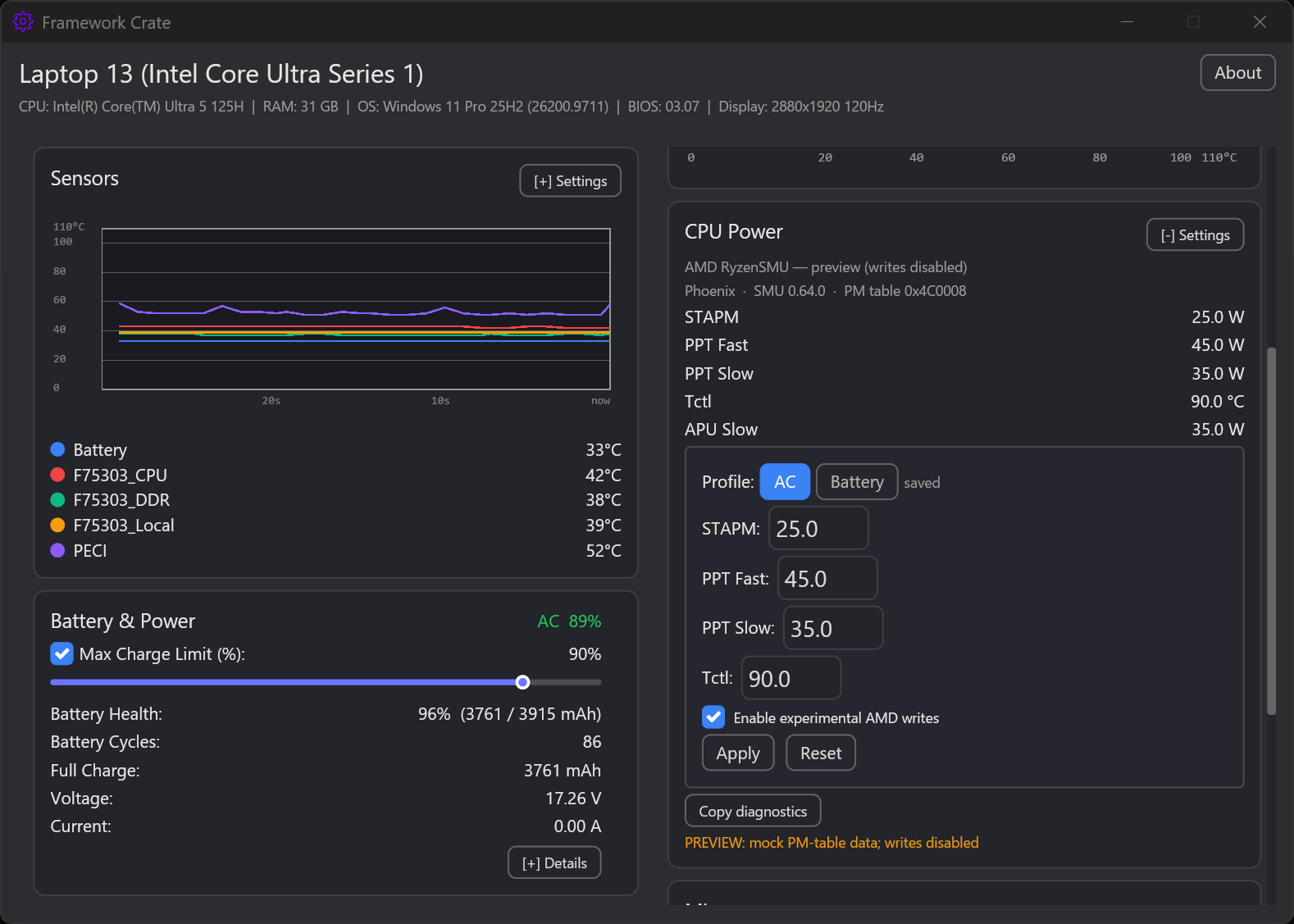
AMD Ryzen CPU power preview with STAPM, PPT Fast, PPT Slow, and Tctl
AMD CPU power (preview) — RyzenSMU STAPM/PPT/Tctl with experimental AC/Battery profiles.
Battery details with health, capacity, cells, and pack temperature
Battery — charge limit, health, capacity, and smart-battery details.
Privacy switches, keyboard backlight, fingerprint LED, and port labels
Privacy and ports — camera/mic switches, backlight, fingerprint LED, and PD port labels.
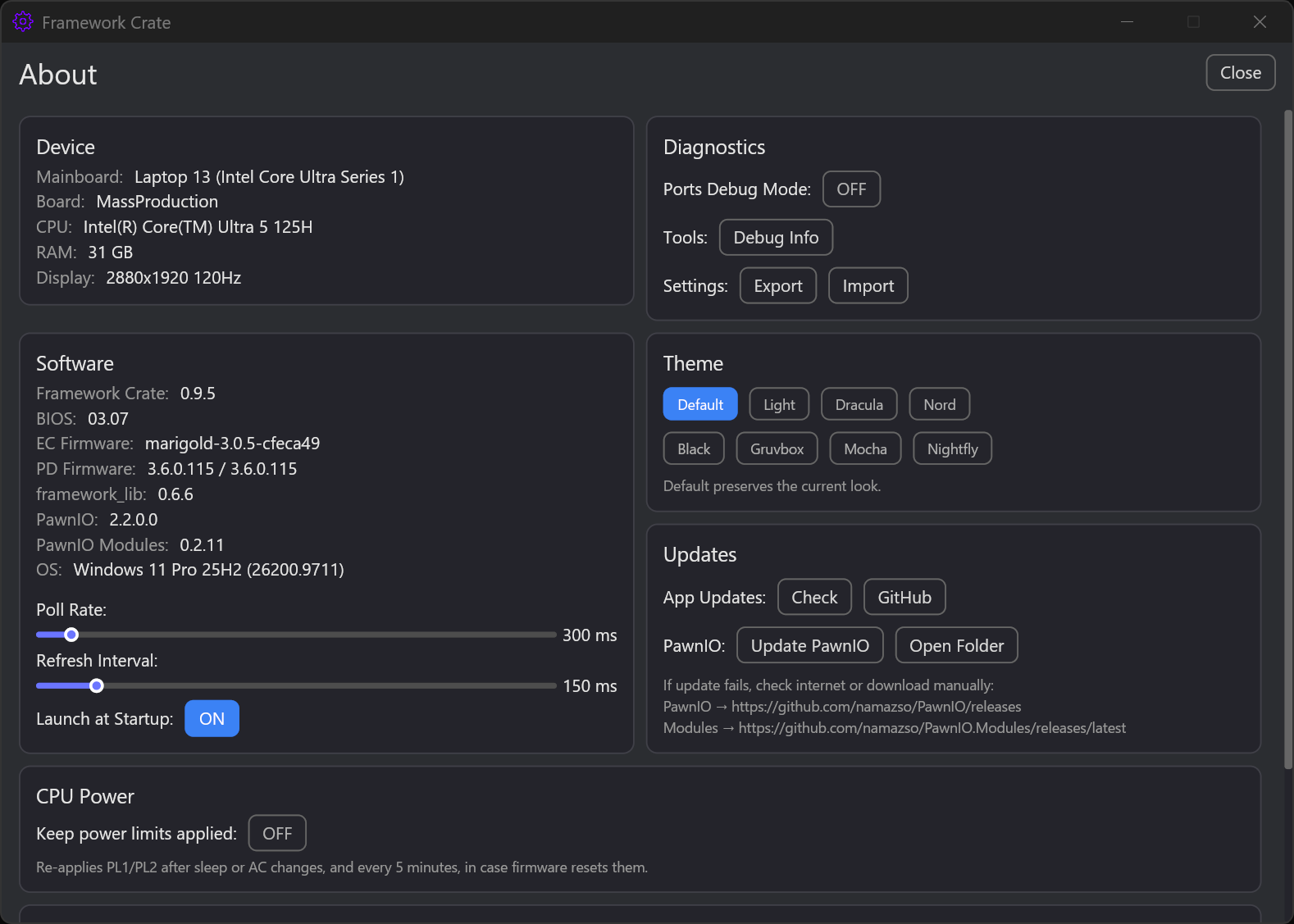
About page with themes, updates, and CPU power keep-alive
About — firmware versions, themes, updates, and the CPU power keep-alive toggle.
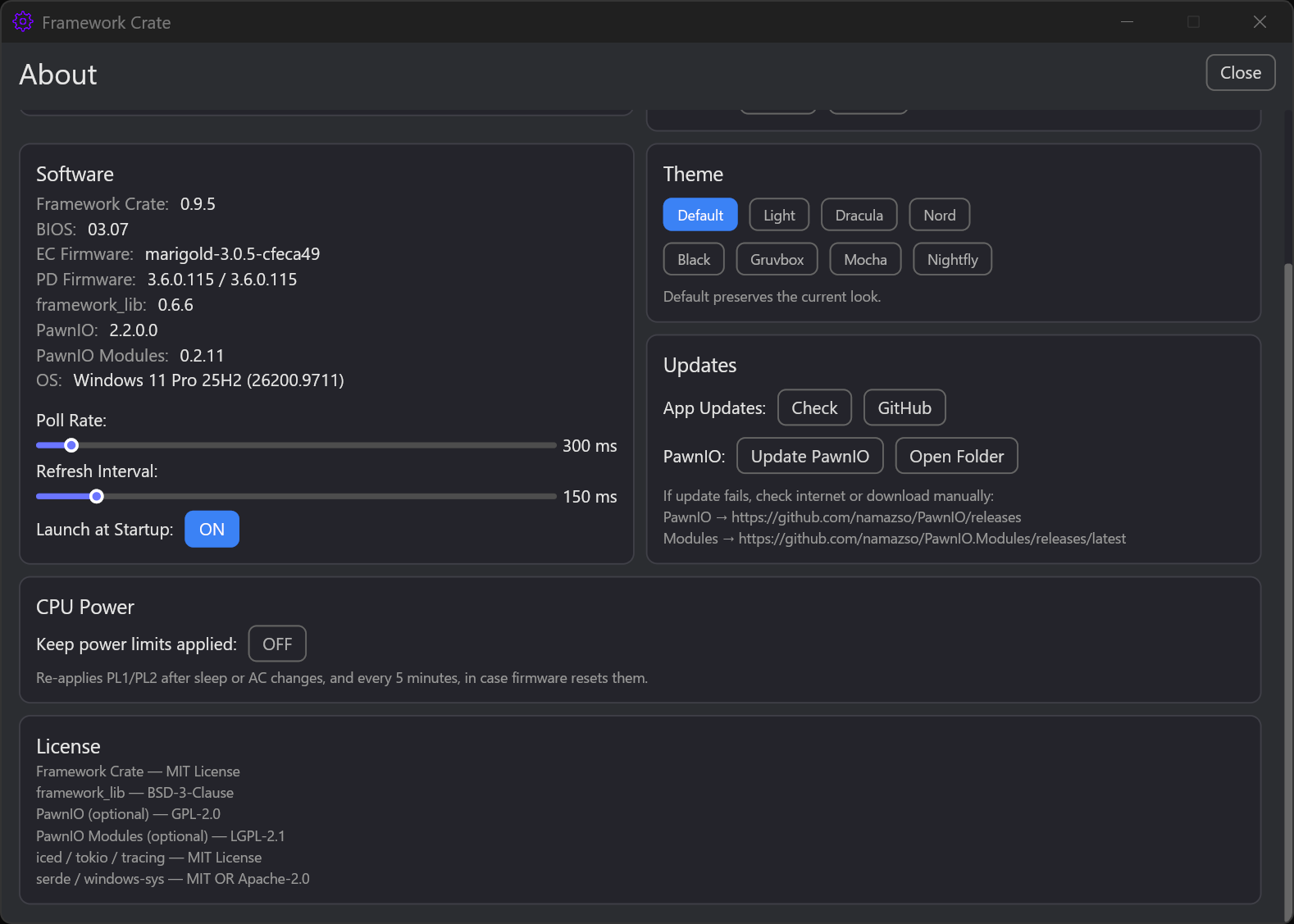
About page scrolled to software, themes, updates, and license
About — software versions, theme selection, update helpers, and licenses.

Key features

Tested on Framework Laptop with Intel Core Ultra Series 1; AMD RyzenSMU support is experimental. Windows 10/11 and administrator rights required. No accounts, no telemetry.